
Data Core Administrator Privileges
- Only Data Core Administrators can create and configure Data Sources.
- Only Data Core Administrators can share Data Sources to other users.
- Data Core administration can only be undertaken directly on the computer hosting Data Core.
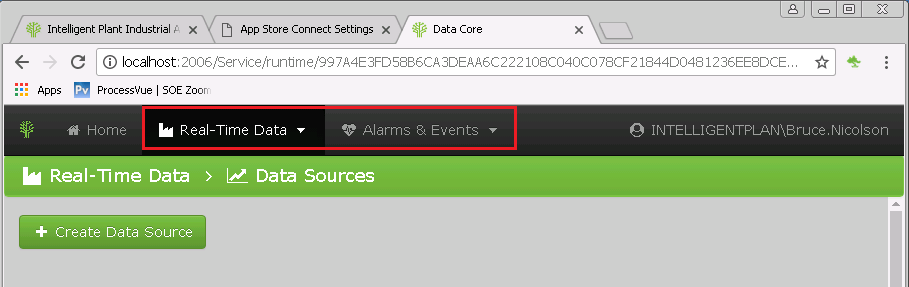
When logged into the Data Core administration page (http://localhost:2600/Service) administrators have the option to view and configure “Real-Time Data” and “Alarms and Events”.
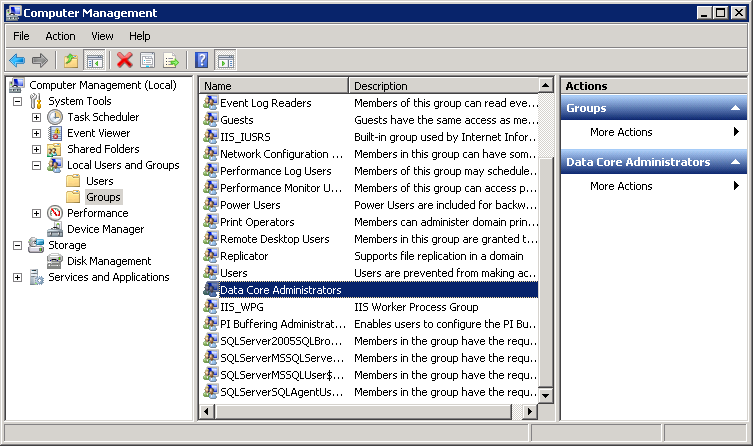
To obtain Data Core Administrator privileges, a user must belong to the “Data Core Administrators” local windows group, on the machine hosting App Store Connect.
- Open Computer Management and select “System Tools > Local Users and Groups > Groups > Data Core Administrators”
- Double click group to open and add required users.
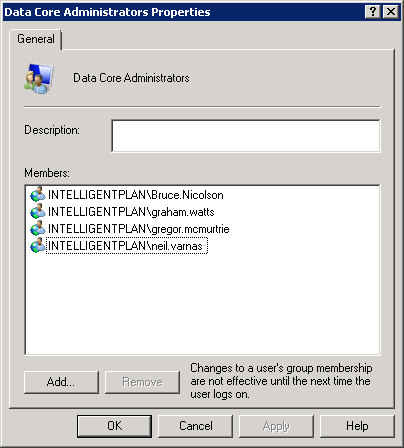
- Log out and back-in to collect new privileges. Alternatively, try a full reboot.