
App Store Example using Postman
In this example, we’ll use Postman to make an authorization request and %%API%% call to the App Store.
//Postman is an Web %%API%% testing tool that runs on top of Google Chrome. It can be downloaded for free and provides a practical example of an external app interacting with the Industrial App Store. //
Download and install Postman to get started: https://www.getpostman.com
App Store Authentication and API Call Example
In our example we’ll prepare a request to the App Store %%API%% method:GET api/Resource/UserInfo
This returns info about the logged-in user.
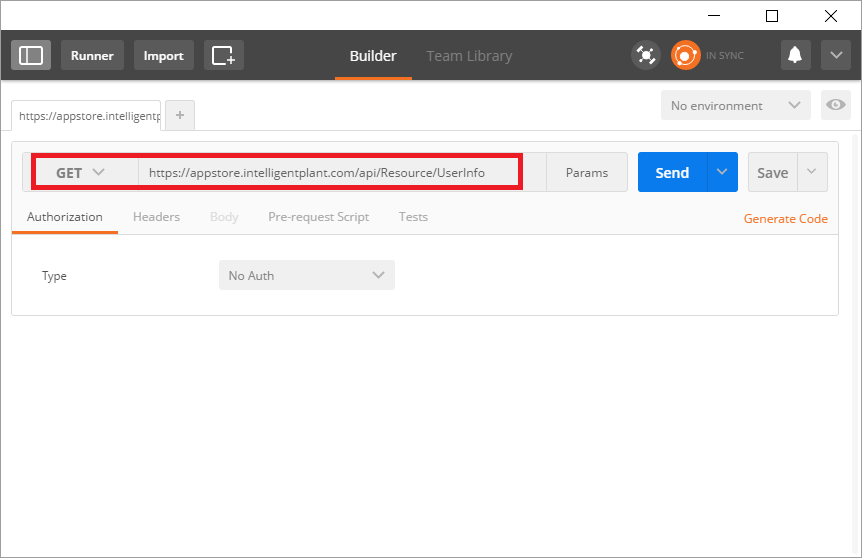
If you attempt to execute this directly, you will receive an unauthorized error like the following:
{
  "Message": "Authorization has been denied for this request."
}
This is because the App Store %%API%% is secured using OAuth2.
To prepare an authorization request, select: Authorization > OAuth 2.0
Specify “add authorization data to request headers”.
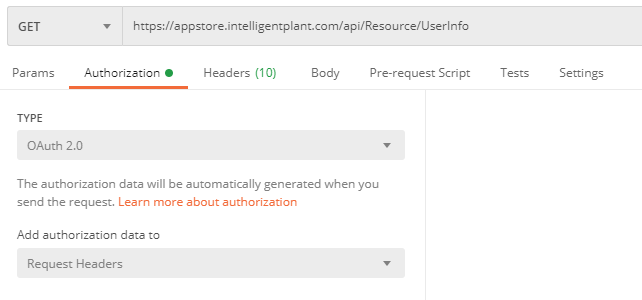
Then click Get New Access Token.
You will be prompted for the following Authorization parameters:
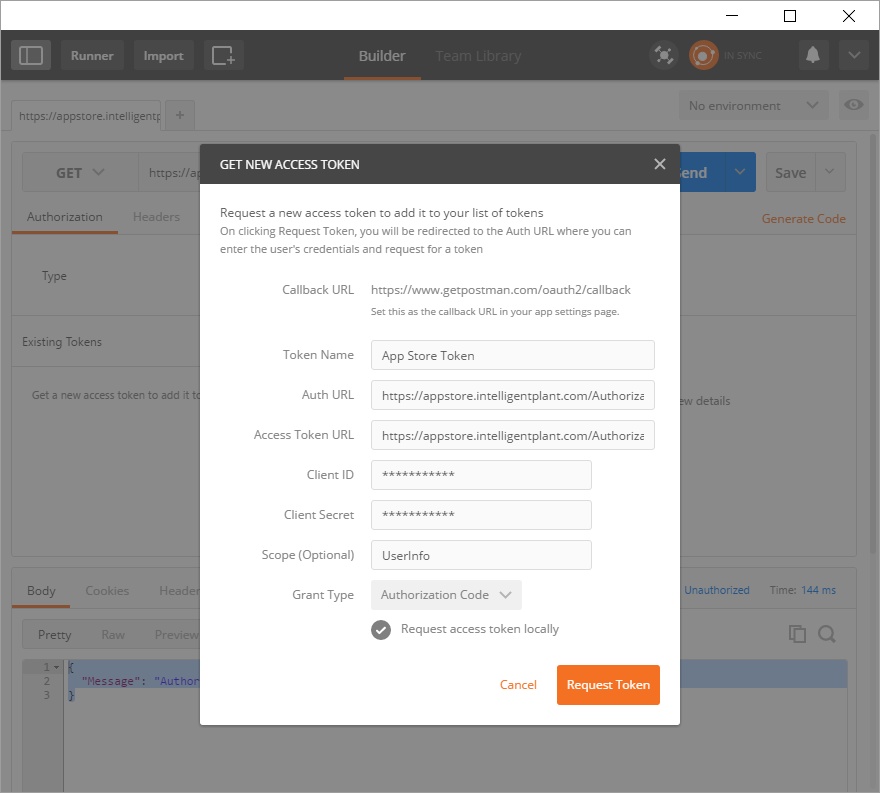
| Grant Type | Authorization Code |
| Call Back %%URL%% | %%https://app.getpostman.com/oauth2/callback%% |
| Auth %%URL%% | %%https://appstore.intelligentplant.com/AuthorizationServer/OAuth/Authorize%% |
| Access Token %%URL%% | %%https://appstore.intelligentplant.com/AuthorizationServer/OAuth/Token%% |
| Client %%ID%% | [We'll give you this if you ask] |
| Client Secret | [We'll give you this if you ask] |
| Scope | %%UserInfo%% |
| Client Authentication | Send as Basic Auth header |
This returns an Access Token.
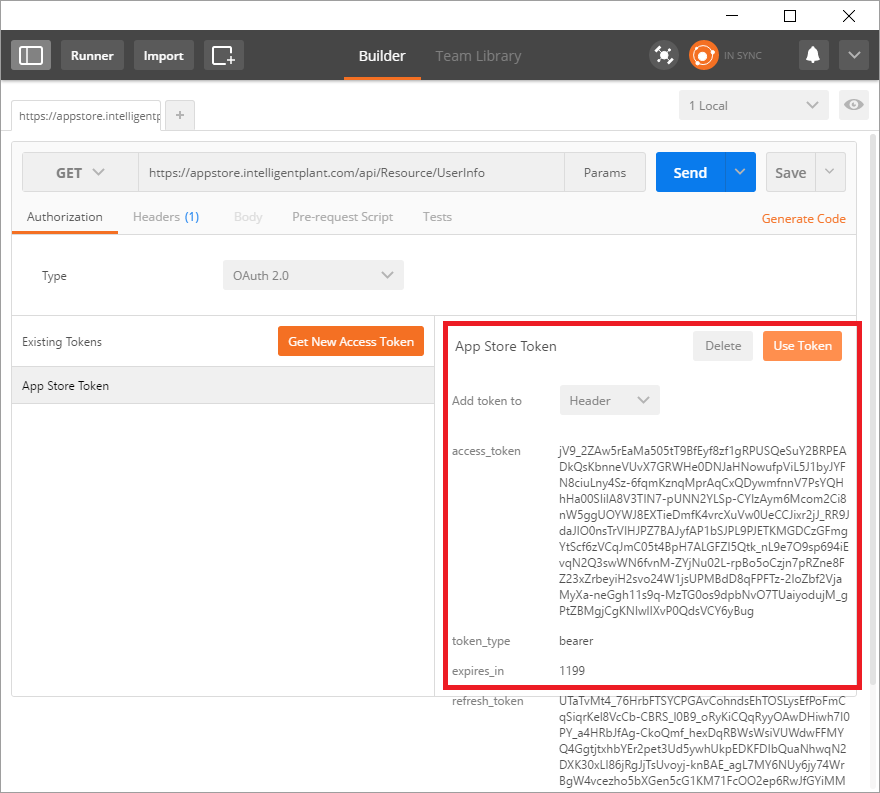
Select “Use Token”, try sending the %%API%% request again, and this time we get the %%UserInfo%% result.
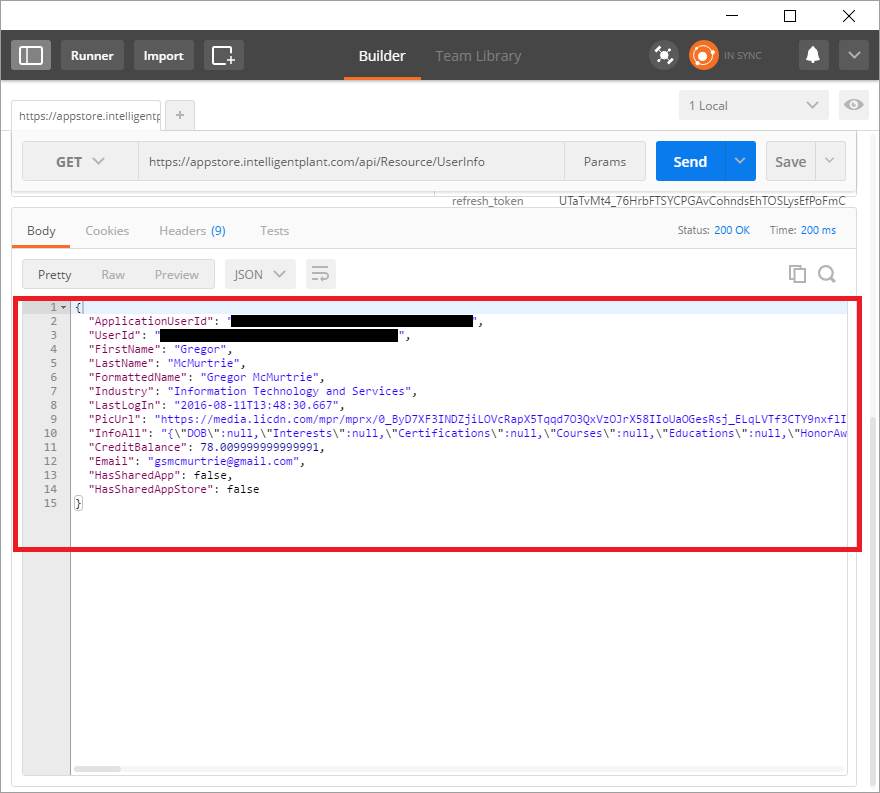
Summary
In the above example we used Postman to simulate an external app interacting with the App Store. Postman has been registered for use with the App Store and obtained the required security credentials. For more info, see Register your App.
Postman exposes the parameters required to make an OAuth2 authorization request. Your application should execute this behind the scenes. For more info, see App Store API Security Overview.
Finally, we used App Store as a means of authenticating users and presenting user-information. However, there is an extensive %%API%% available, including methods for user-account debiting and real-time process-data interrogation. For more info, see App Store API Documentation.